
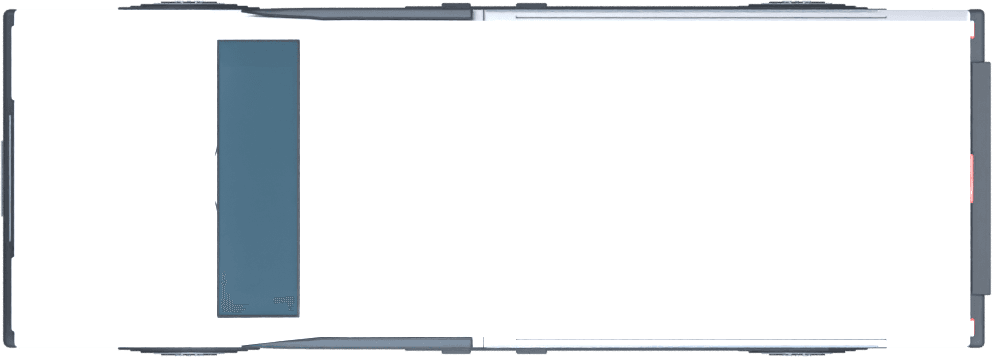
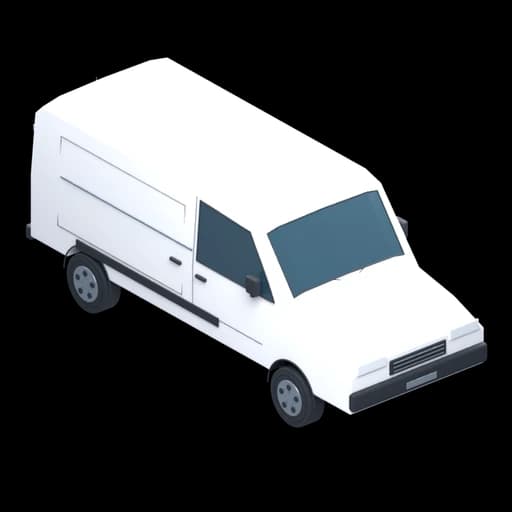
Panel Van (White)
Default model size: 2221 × 5730 × 2276 mm
Width × depth × height
Draw clear 2D enclosure plans, add airlocks, baglocks, NPUs and routes, then export professional 2D and matching 3D visuals for project documents and site teams.
Free Preview — no card required. Free Preview includes 2 saved projects and watermarked exports. Upgrade when you need clean PDF/SVG exports, branding or unlimited projects. See the walkthrough.
What is AsbestoPlan?
AsbestoPlan is browser-based asbestos enclosure drawing software for asbestos contractors, supervisors, estimators and document teams. It helps users create 2D enclosure plans, matching 3D visuals, asset layouts, routes, title blocks and exports for RAMS, plans of work, client packs and site briefings. It is a planning and communication tool, not HSE approval, compliance certification or a replacement for competent professional judgement.
Built for professional asbestos planning workflows
Visuals for RAMS, plans of work, client packs and site briefings.
Export both views with title blocks and a scene key baked in.
Not HSE-approved or compliance-certified — a documentation tool.
Final enclosure design remains with competent asbestos professionals.
Security & Data Privacy — how projects, uploads and exports are protected.
Draw rooms and walls, place enclosure equipment and export matching views for your existing project documents.
Workflow shaped around enclosure drawing pain points — copied Visio stencils, slide-deck layouts and mismatched 2D/3D visuals — not a generic diagramming app rebranded for asbestos.
Follow an example from room shell to assets, 3D review and export. The time needed depends on the layout and your familiarity with the editor. See the step-by-step guide.
Many teams still assemble plans from templates, hand sketches, or copied drawings. Clear enclosure visuals for RAMS and site briefings should not mean fighting with PowerPoint, Visio or copied old drawings.
Office drawing software can produce plans, but it is rarely built around enclosure workflows, synced 2D/3D views, or a curated asbestos asset library.
Full CAD and BIM platforms are powerful for building design, yet many enclosure plans must be produced quickly by supervisors and admin teams without a dedicated CAD operator.
Separate 3D modelling workflows can illustrate enclosures well, but maintaining a matching plan view alongside them adds time, rework and inconsistency.
Copying old plans saves time, but visuals get inconsistent across jobs and reviewers struggle to read them.
Built around how asbestos teams actually work — from estimator to supervisor.
Draw rectangular or polygon rooms, connect walls and set their height, thickness and materials. Organise the building into storeys.
Choose flat, mono-pitch, gable, hip and specialist roof forms. Set pitch, direction, coverings and edge trims, then inspect the result in 3D.
Mark the work area with a coloured zone. Add walls and sheeting separately to represent its physical enclosure. Grass and road surfaces provide site context.
Choose chamber sizes and stages, with straight, left-turn and right-turn layouts for two- and three-stage units. Check the layout in 2D and 3D.
Apply room floor polythene and place sheeting with its own size, slope, colour and opacity to communicate the enclosure layout.
Drag library assets into the 2D plan or 3D scene, or click to place them in the active view. On touch screens, use the asset drag handle.
Coloured route lines that read clearly on any plan.
Temporary site fencing, warning signs, vacs, DCUs and welfare units.
Show wall lengths, room spans, area and perimeter. Labels update with the drawing; visibility controls let you show the detail you need.
One shared scene model. Move it in 2D and it updates in 3D — or use Split view to watch both at once.
Toggle building, zones, routes, signs and equipment layers per project.
Undo and redo edits during your session. Changes save automatically while connected; the save indicator confirms their status.
Cloud-saved projects with statuses, client/site details, thumbnails, notes and search. Paid subscriptions also support read-only snapshot links.
Export PNG/JPG from either view. Paid plans add clean high-resolution images, PDF and 2D SVG. Include an optional scene key and title block.
Move an item in the 2D plan and it updates in 3D. Move it in 3D and the 2D plan updates too. There is only one project — no duplicate models to maintain.
Clean enclosure plans with asbestos-specific symbols, dimensioned walls and snap-to-grid drawing.
Generate 3D views of walls, enclosures, airlocks, baglocks, NPUs and site equipment.
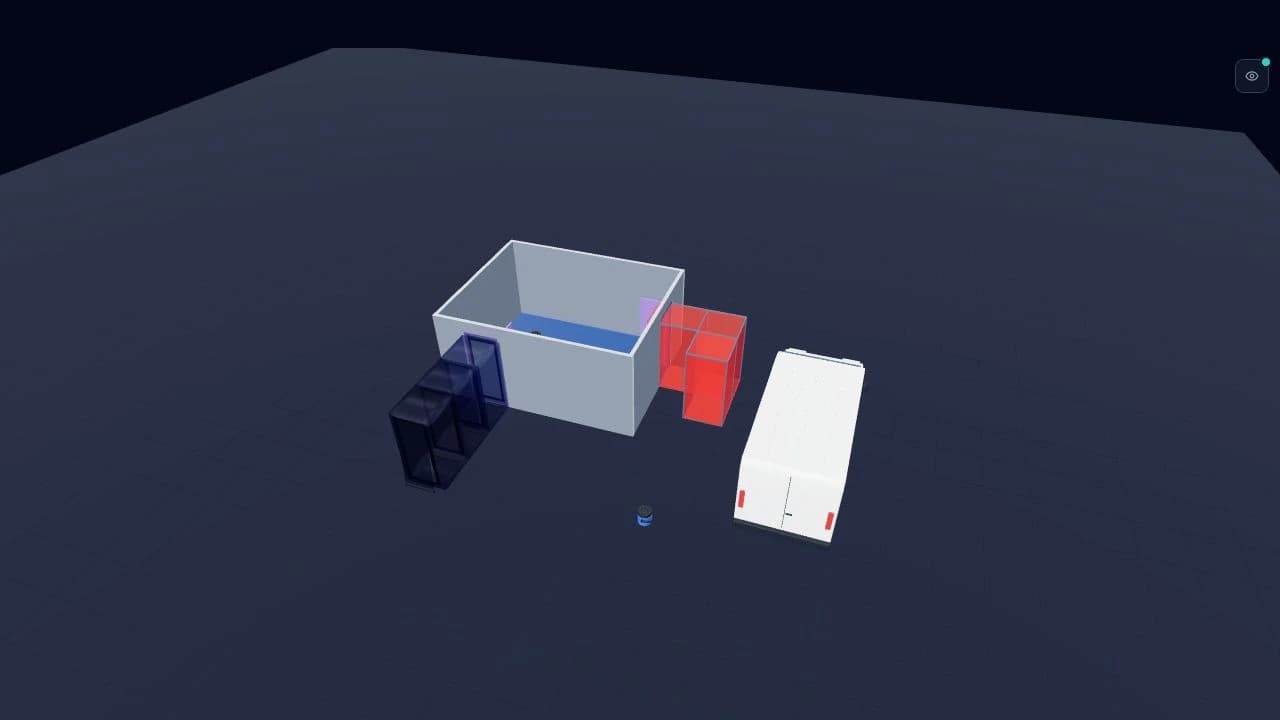
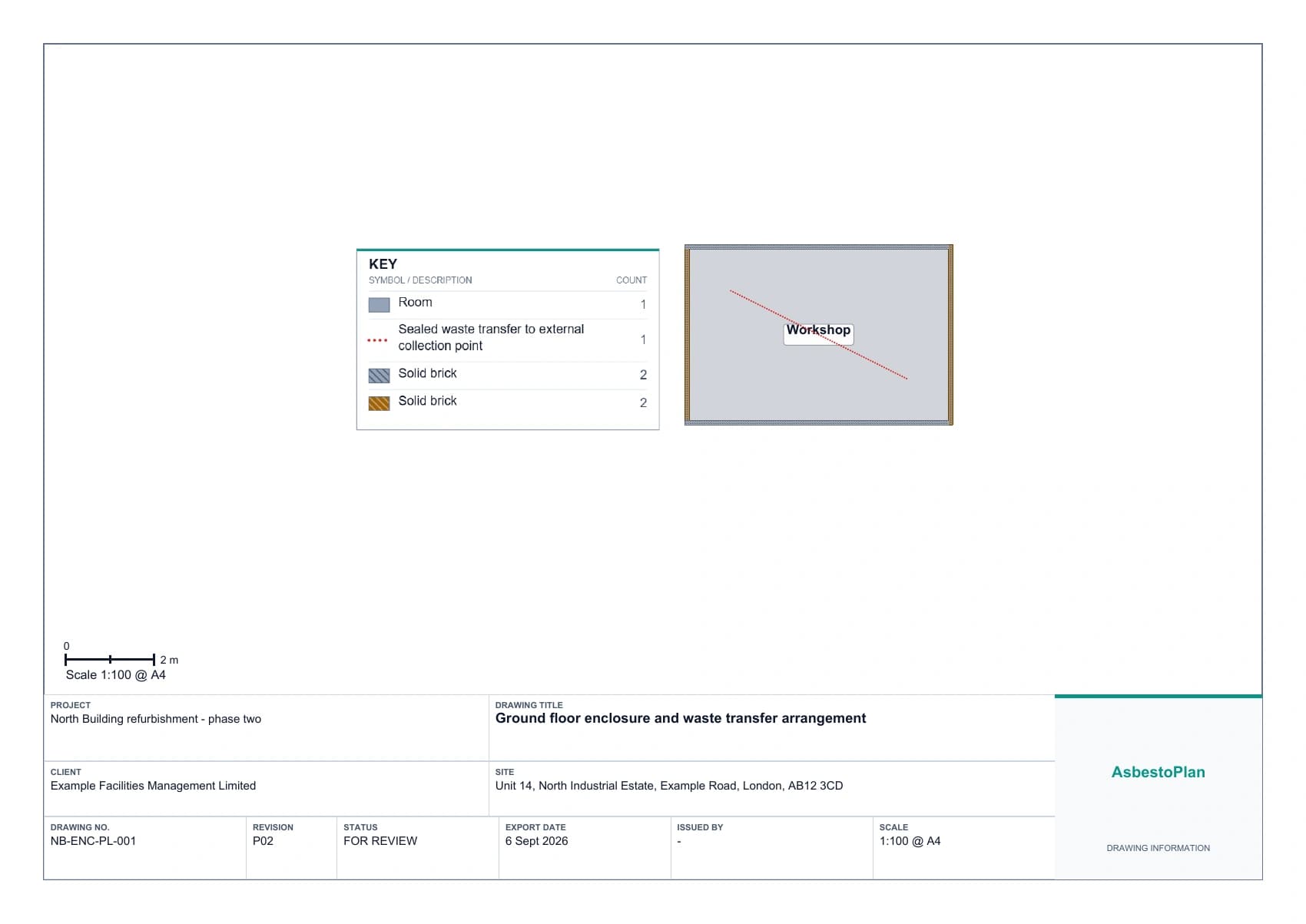
Export PNG/JPG on every plan. Paid plans add PDF and 2D SVG. Add a key and title block in separate sheet margins. The sample below is an exported drawing for a fictional project.
No CAD install, no stencil building — a practical first session in the browser.
AsbestoPlan Academy
Watch short, narrated tutorials on rooms, planning assets, routes, 2D and 3D views, and export. Browse freely — no account needed.
Browse video tutorialsTake your plan from the editor straight into project documents, client packs and site briefings.
Export the enclosure plan and the 3D view as PNG or JPG. PNG supports transparency; JPG uses a solid background. Free Preview exports carry a watermark.
Paid plans remove the watermark and export both views at high resolution for crisp printing and client communication.
Export 2D plans as SVG or scale-accurate PDF. The 3D view is a rendered image. Available with the One Project Pass and every subscription.
Add a key in its own margin and a title-block footer with project, drawing number, revision, status, client, site, date and scale. Company logos require a paid plan.
A composed report with project details, plan, render, legend, notes and an auto item schedule.
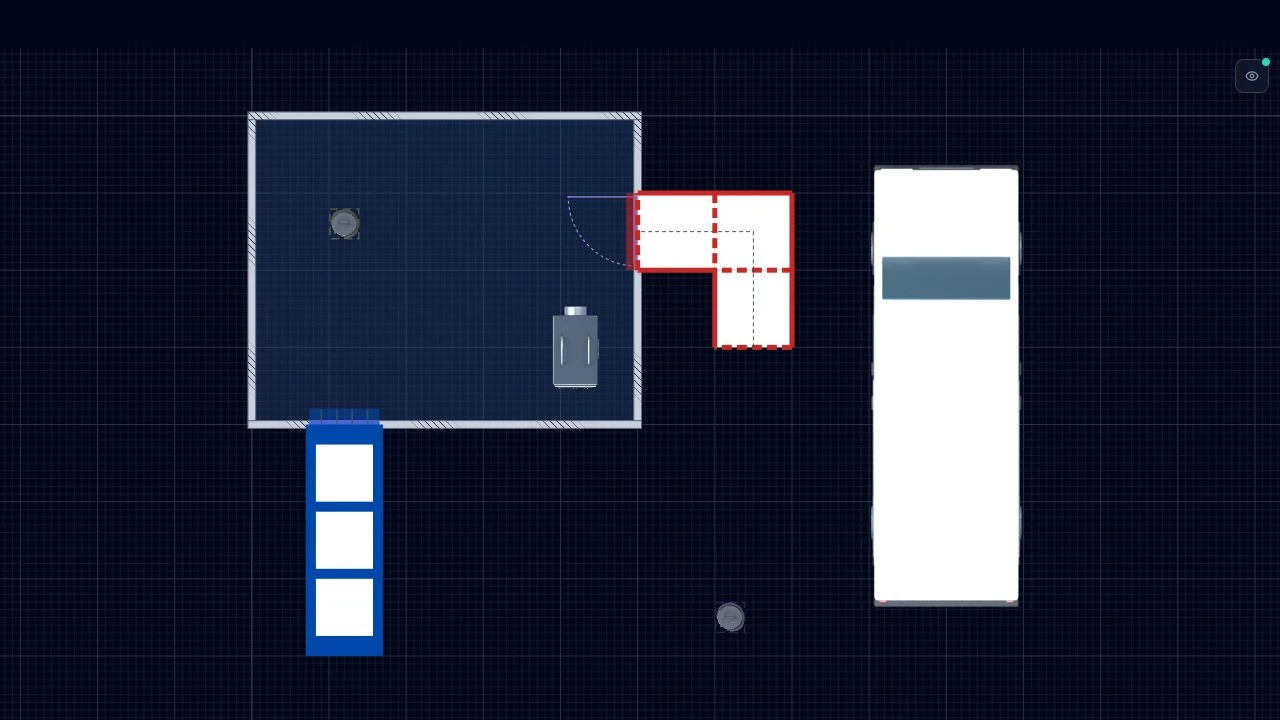
See a matched pair of editor views and real title-block and key output from a separate fictional sample drawing. Download the sample PDF to inspect the complete sheet.
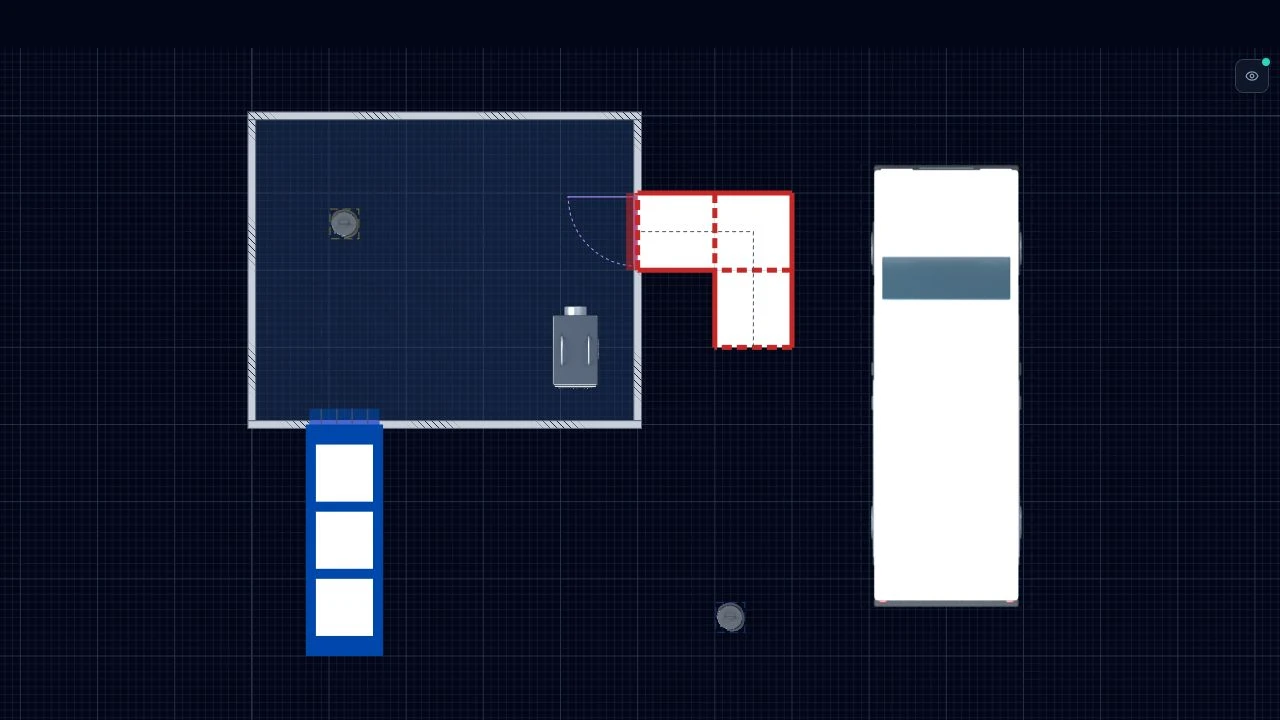
A view captured from the editor, showing a room, straight airlock, dogleg baglock, NPU and generic equipment. PNG/JPG export is available on all plans; paid plans add PDF and 2D SVG.
217 asbestos-specific 2D symbols across 15 categories — airlocks, baglocks, NPUs, DCUs, vacs, fencing, signs, skips and more. Many include a matching 3D model; drag any asset into the scene and switch between 2D and 3D thumbnails.


Generic planning assets: AsbestoPlan assets are generic visual planning symbols created to help communicate enclosure layouts, equipment positions, routes and site setup. They are not manufacturer-specific product drawings, approved safety signs, legal signage, equipment specifications, compliance certification, RAMS, plans of work or substitutes for competent professional judgement. Users must ensure all real-world equipment, signs, labels, controls and documentation meet current legal, project, company and manufacturer requirements. Read the full product disclaimer.
These previews use the current editor artwork. Generic, unbranded equipment includes panel vans, four NPU sizes, wet vacuums and Class H vacuums.
Default model size: 2221 × 5730 × 2276 mm
Width × depth × height
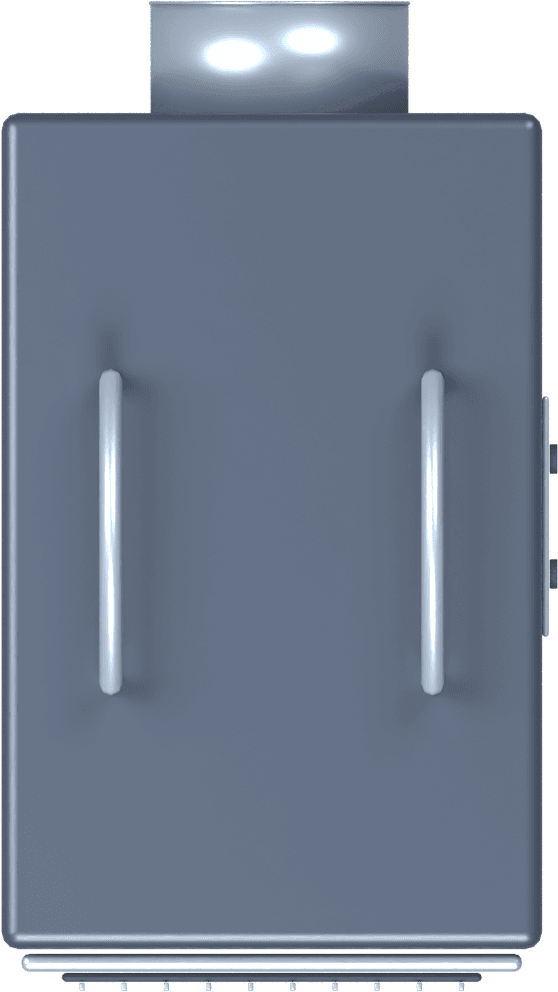
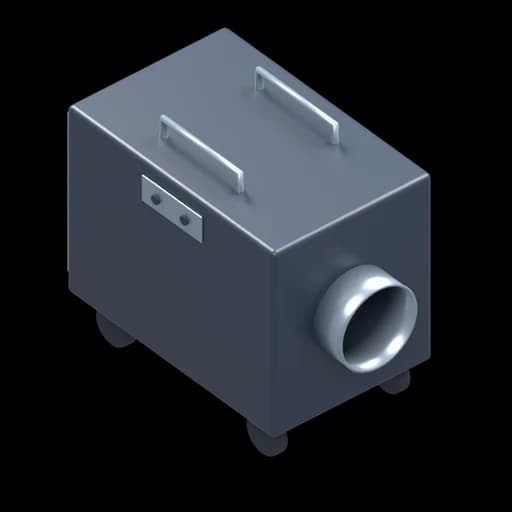
Default model size: 600 × 1068 × 856 mm
Width × depth × height
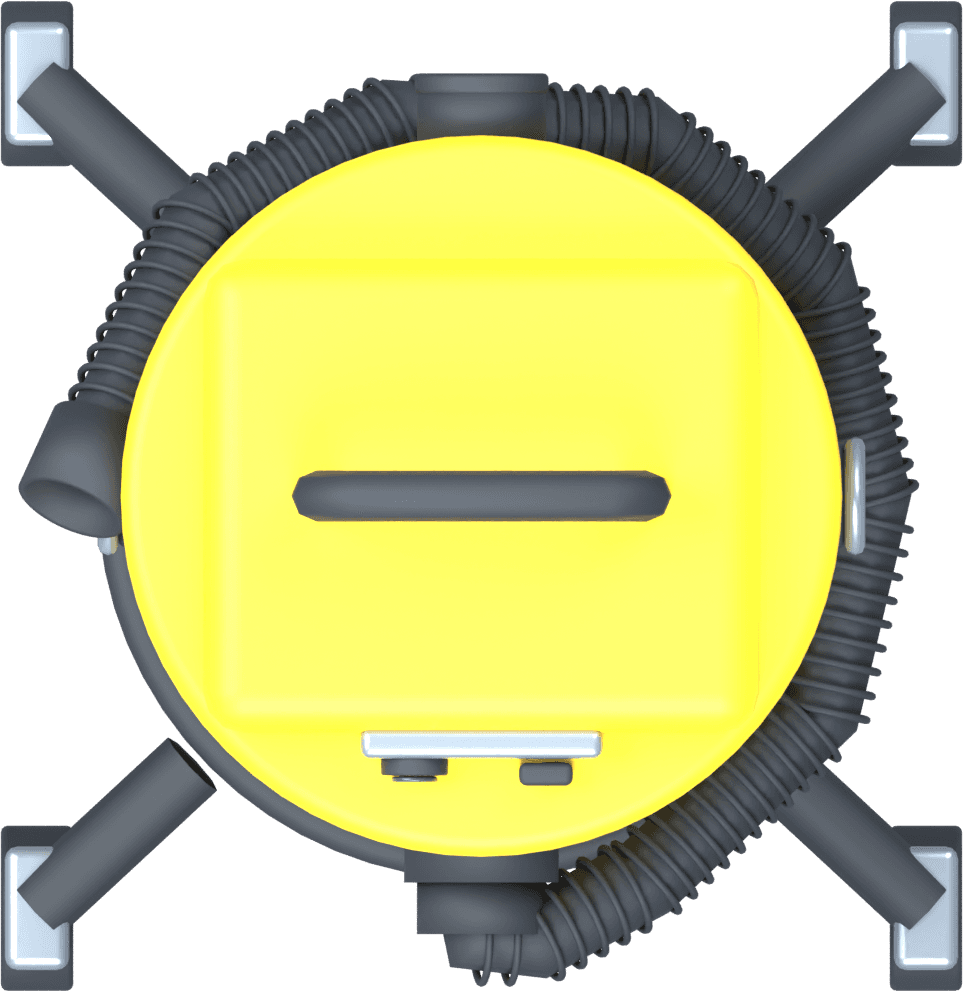

Default model size: 373 × 384 × 494 mm
Width × depth × height
Check the dimensions of the equipment intended for your site when setting out the plan. Browse the asset library.
On any paid plan, upload a floor-plan image and set its scale by resizing it or calibrating a known distance. Trace manually, or try assisted wall and opening detection (Preview) on clear plans with horizontal and vertical walls. Review suggested windows, door types and swings before creating editable geometry. The image can also appear beneath the 3D model as a reference.
Drop in a survey scan, an architect drawing or a quick site sketch — uploaded straight to your project.
Enter the floor plan width and height in mm, or calibrate against a known distance. Check your traced dimensions against the source drawing.
Fade the backdrop to a guideline, nudge it into place and rotate it to align with your grid.
Locking the backdrop prevents accidental drag while you trace your enclosure on top.
Change polythene, wall, zone and route colours in a few clicks. Each placed object stays independent — recolouring one item does not change the rest of the project.
Skip the blank page. These starter templates load rooms with preset dimensions; enclosure examples also include zones and equipment. Adjust every layout to the site before use.
Organise your own projects with client and site details, statuses, thumbnails and notes. The example below uses fictional project details.
From estimator to supervisor, AsbestoPlan fits the people responsible for getting enclosures right on the day.
Faster enclosure planning across multiple jobs.
Clear plans for site briefings and team handovers.
Standardised drawings across every site under your remit.
Visualise enclosures during quoting and pricing.
Sketch proposed enclosures during surveys and hand clear visuals to removal teams.
Drop polished plan images into your existing project documentation.
Communicate proposed enclosure approaches clearly to clients.
Build polished enclosure drawings without specialist CAD training.
See workflow-specific examples in our use-case guides.
Clear scope matters in a compliance-heavy industry. Use AsbestoPlan for visual planning and communication — statutory documents remain your responsibility.
We are deliberately focused on enclosure visual planning — so you know exactly where we fit in your workflow.
HSE approval or compliance certification
AsbestoPlan is not endorsed, approved or certified by HSE or any regulator.
Automatic RAMS or plan-of-work generation
You produce enclosure visuals to include in your documents — not the statutory paperwork itself.
A replacement for competent asbestos professionals
Final enclosure design, risk assessment and sign-off remain with qualified people in your organisation.
Full architectural CAD or BIM software
Purpose-built for enclosure visual planning — not general building modelling.
A substitute for site-specific risk assessment
Every job needs its own competent review of controls, access, monitoring and emergency procedures.
Start free, create one clean plan for £29, or subscribe when your firm needs unlimited exports, branding and reusable templates.
Try the 2D + 3D enclosure planner before committing.
For small asbestos firms creating professional enclosure drawings without CAD.
Billed monthly
Extra users £10/mo each
Start 14-day trialEligible customers only · Card required · Renews automatically unless cancelled
Standardise enclosure drawings across estimators, admin and site teams.
Billed monthly
Extra users £10/mo each
Start Team trialEligible customers only · Card required · Renews automatically unless cancelled
Create and export one professional enclosure drawing pack for £29, with no subscription. Get 14 days of paid drawing features and clean exports, with up to 2 saved projects. The pass does not renew.
Company — from £249/month. Contact support for a quote, including any annual arrangement. Discuss onboarding, template setup, branch management and billing for your team.
Final pricing depends on users, branches, onboarding and custom template requirements.
| Free Preview | One Project Pass | Business | Team | Company | |
|---|---|---|---|---|---|
| Monthly price | £0 | £29 one-off | £49/mo | £129/mo | From £249/mo |
| Annual price | — | — | £490/yr | £1290/yr | By quotation |
| Users included | 1 | 1 | 3 | 10 | Custom |
| Invite & manage teammates | |||||
| Saved projects | 2 | 2 | Unlimited | Unlimited | Unlimited |
| 2D editor | |||||
| 3D preview | |||||
| Asbestos asset library | |||||
| Watermarked export | |||||
| Clean PNG / JPG export | |||||
| PDF export | |||||
| 2D SVG export | |||||
| 2D PDF at a chosen print scale | |||||
| Floor-plan backdrop upload | |||||
| Title block | |||||
| Company logo on exports | |||||
| Client preview link (read-only 2D/3D) | |||||
| Project version history | |||||
| Per-project export history | |||||
| Shared company templates | |||||
| Team-wide version & export history | |||||
| Roles & permissions | |||||
| Branches & departments | |||||
| Onboarding | Guides & videos | Guides & videos | Guides & videos | Guides & videos | Discuss with support |
| Support | Limited | Limited | Priority email | Priority | Priority |
Prices in GBP. Business includes 3 users and Team includes 10 — invite colleagues and share company templates from your dashboard. Eligible customers receive one 14-day Business or Team trial. A card is required at checkout. Billing starts automatically at the selected monthly or annual price unless you cancel before the trial ends. AsbestoPlan is a planning support tool, not HSE-approved compliance certification.
AsbestoPlan supports visual enclosure planning and project documentation. It does not certify enclosure safety, approve asbestos work or replace competent professional judgement. Final enclosure design, risk assessment, method statement, plan of work and statutory compliance remain the responsibility of competent asbestos professionals and, where required, licensed asbestos contractors.